Generating music through movement
Designer & engineer (JavaScript)
tldr;
Leveraging computer vision models to have a dancer generate music through their movement.Context
Could a dancer create music through movement?
Finding the right song is a lot of work. Professional dancers spend hours reviewing different songs to discover the right match to style of choreography they have in mind. I was curious if I could flip this relationship. What if a dancer's choreography created the music instead?Research
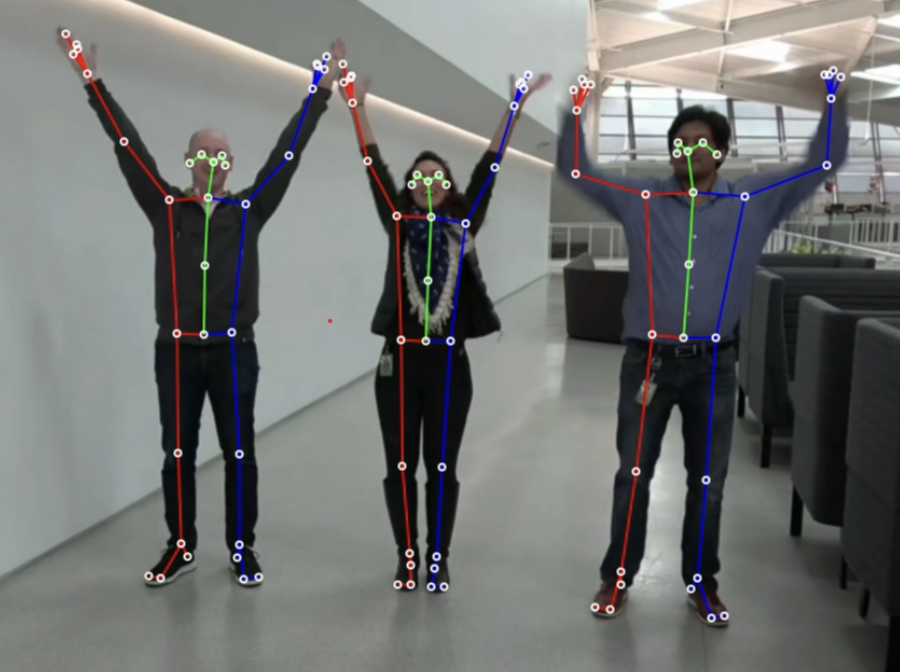
First, how could I track a dancer's movement?To achieve this, I first needed to track movement. I found PoseNet, a model that uses computer vision to detect human figures and body points in images/videos. By streaming in a dancer’s footage, I could then use this model to capture their movement.
First, how could I track a dancer's movement?To achieve this, I first needed to track movement. I found PoseNet, a model that uses computer vision to detect human figures and body points in images/videos. By streaming in a dancer’s footage, I could then use this model to capture their movement.
Next, what are live music production tools I can take inspiration from?I was immediately inspired by Midi boards. Midi boards are a simple tool for live beat creation. In this board, each button triggers an uploaded sound. Musicians will hit the buttons in different patterns to create live music.
This midi board leverages a grid which makes buttons easy to recall. This felt like a great interface pattern to leverage since the dancer’s focus should be on their movement not the interaction.
This midi board leverages a grid which makes buttons easy to recall. This felt like a great interface pattern to leverage since the dancer’s focus should be on their movement not the interaction.

Design
Combining PoseNet & Midi BoardsTo capture the dancer's movement, I set up a Kinect. I then used JavaScript to take the Kinect video feed and place it on a HTML canvas of the dancer’s body Next, I implemented PoseNet to track a body part on the dancer.
Combining PoseNet & Midi BoardsTo capture the dancer's movement, I set up a Kinect. I then used JavaScript to take the Kinect video feed and place it on a HTML canvas of the dancer’s body Next, I implemented PoseNet to track a body part on the dancer.
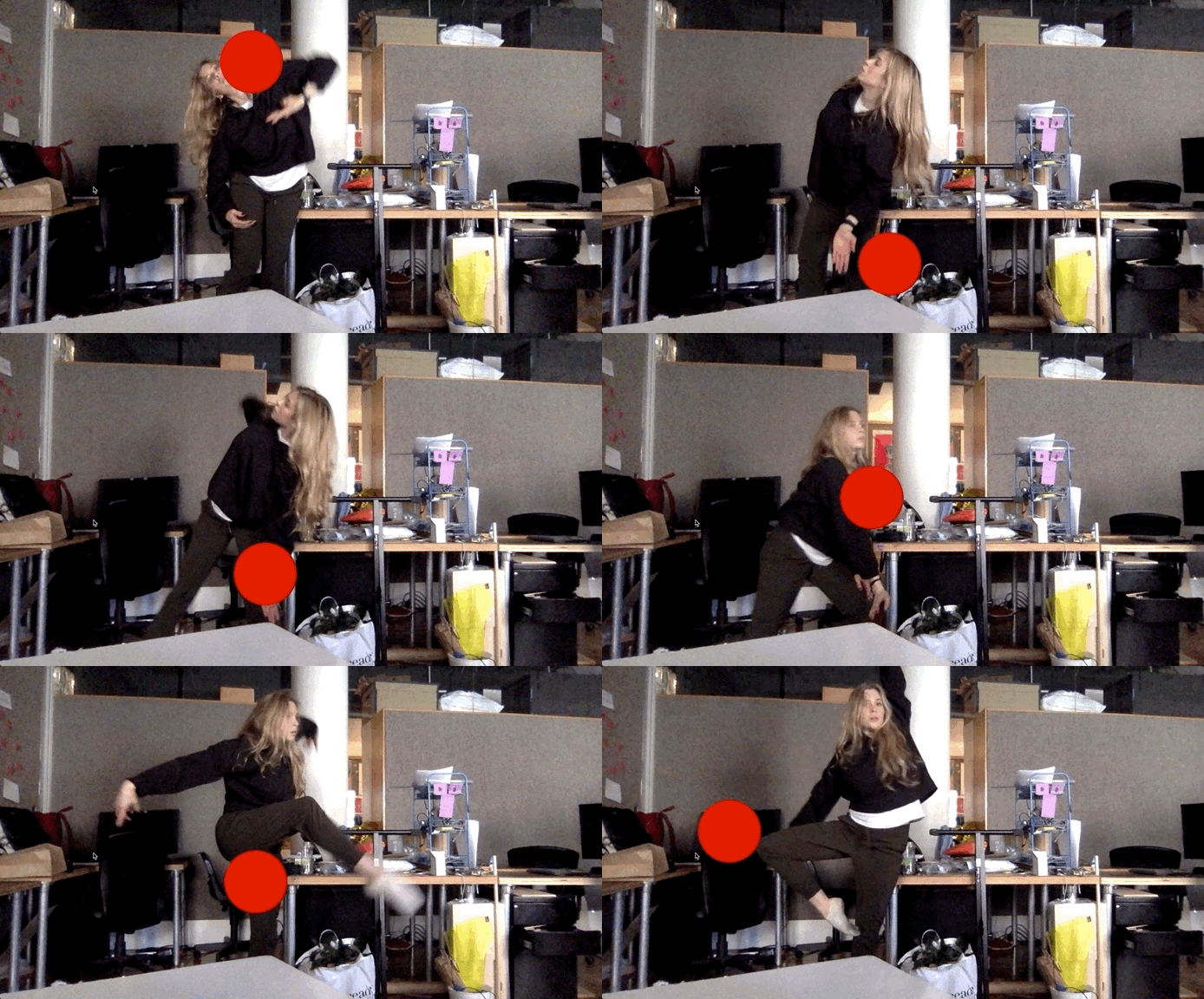
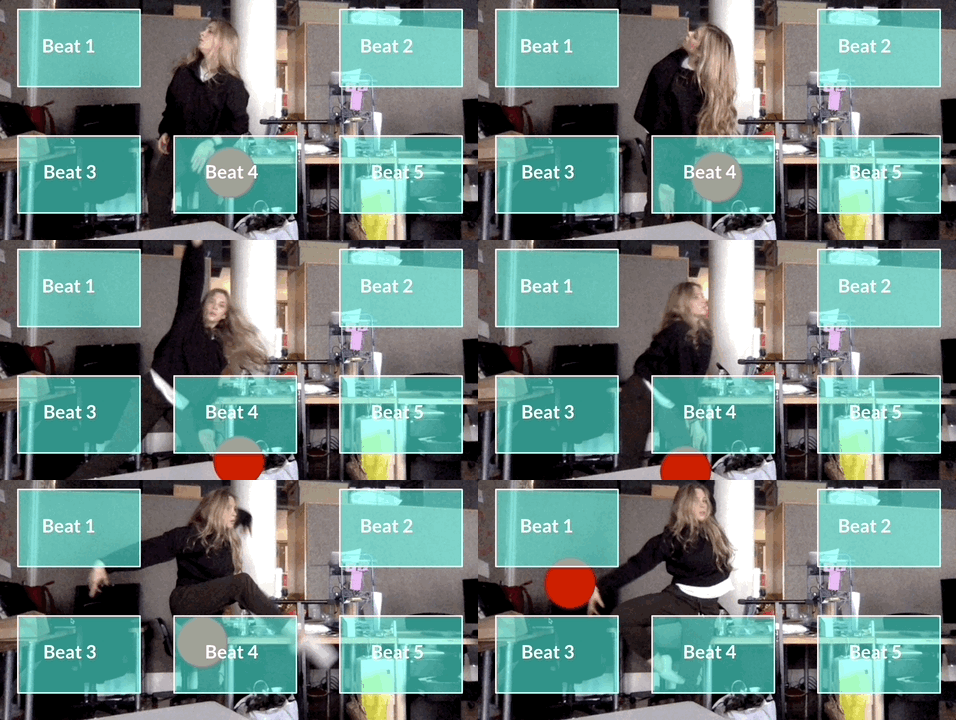
On the HTML canvas, I created a set of buttons on a grid similar to a Midi board. I set up simple code to detect if that body part “hit” one of the created buttons on the screen, then the music will play.
I used Ableton Live and sample beats, tying them to different buttons.
I used Ableton Live and sample beats, tying them to different buttons.
Iterate
Optimizing user controlAfter set up, came iteration time. In real time, I worked with the dancer to figure out where buttons should be placed. The grid layout was easy for the dancer to recall. We experimented with different body parts, but landed on her wrist to be the best.
Optimizing user controlAfter set up, came iteration time. In real time, I worked with the dancer to figure out where buttons should be placed. The grid layout was easy for the dancer to recall. We experimented with different body parts, but landed on her wrist to be the best.

Test & Results
Live performanceTo test, I recruited a dancer to complete a live performance with the tool.
I was looking to see if the dancer was able to successfully use the tool and most importantly, how the audience would react?
The audience found the performance compelling and the tool was invisible. No one recognized that the music was being live generated. This was a huge win and signal that the tool could be used for more performances.
Yet, my favorite part was watching the dancer work with the tool. Each performance was unique. Sometimes the song was fast, sometimes it was slow and emotional - it was cleqar how much more control the dancer had her on process.
Live performanceTo test, I recruited a dancer to complete a live performance with the tool.
I was looking to see if the dancer was able to successfully use the tool and most importantly, how the audience would react?
The audience found the performance compelling and the tool was invisible. No one recognized that the music was being live generated. This was a huge win and signal that the tool could be used for more performances.
Yet, my favorite part was watching the dancer work with the tool. Each performance was unique. Sometimes the song was fast, sometimes it was slow and emotional - it was cleqar how much more control the dancer had her on process.